

What is SilkRoad and what problem does it solve?


SilkRoad is an all-in-one operations platform for contractors that connects estimating, scheduling, crews, inventory, field documentation, invoicing, and payment into a single workflow. It replaces the mix of spreadsheets, whiteboards, text threads, and personal phones that most contracting businesses run on — so nothing falls through the cracks between the jobsite and the invoice.
How is SilkRoad different from other contractor or field service software?
Most platforms start with scheduling and stop there. SilkRoad starts with operational accountability connecting inventory, jobs, field activity, documentation, invoicing, and payment into one continuous chain. It’s built on 30+ years of hands-on electrical and general maintenance experience, so the workflows actually match how crews work, not how software vendors imagine they work.
Where does SilkRoad actually save contractors money?
Most lost margin isn’t from a lack of jobs. it’s revenue leakage from small operational gaps: materials bought twice, field changes that never reach the invoice, and completed work with no documentation to back it up. SilkRoad keeps materials, labour, photos, and field activity tied to the job record so these gaps are visible before they turn into lost revenue.
Can crews really use SilkRoad from the field, or is it another office-only tool?
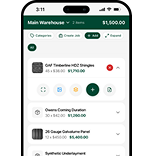
Yes, SilkRoad is mobile-first by design. Crews can view assigned jobs, check schedules, scan and update inventory, log field activity, add site notes, and upload jobsite photos directly from their phones. The workflows are deliberately simple, because a system only adds value if it’s genuinely faster than sending a text.
Is there a dedicated SilkRoad mobile app?
Yes, SilkRoad Tradesman is available on the Apple App Store and Google Play. It puts crews on the same live system as the office, with jobs, schedules, inventory, and documentation all in one place.
How does SilkRoad handle inventory across trucks, warehouses, and jobsites?
Inventory is tracked in one connected view across multiple warehouses, service trucks, crew assignments, and active jobsites. That means the office can see what a crew already has on board before another purchase order goes out, cutting down on duplicate buying driven by poor visibility rather than poor decisions.
Can materials be tied to a specific estimate or job for accurate costing?
Yes. Materials can be reserved against an estimate and allocated directly to a job, so planned requirements can be compared against what was actually issued and used. That comparison is what turns job costing from a guess into a number you can trust.
What happens to unused materials after a job wraps up?
SilkRoad supports return tracking for surplus materials, including expected return dates and visibility into unused stock sitting in trucks or at completed jobsites — so reusable materials get recovered instead of quietly written off.
How does an estimate turn into a job in SilkRoad?
Estimates are created, sent, and tracked through revisions and approval inside SilkRoad. Once approved, an estimate converts directly into a job carrying scope and material requirements with it so the crew works from exactly what was quoted, and the office isn’t rebuilding the same information twice.
How does SilkRoad keep office and field teams on the same page?
Schedule changes, crew assignments, site notes, material updates, and jobsite photos all flow into one shared job record. That’s what closes the usual gap between what the office thinks is happening and what’s actually happening on site — no more calling the crew to ask “where are we at?”
How does SilkRoad reduce missed billables and underbilling?
Materials, labour activity, field updates, and jobsite photos stay attached to the job from day one. When it’s time to invoice, the bill is built from what was already documented in the field not from memory which is exactly where most unbilled work quietly disappears in a manual process.
Can job photos and proof of work be used for billing and change orders?
Yes. Before-and-after photos, jobsite documentation, and change order proof are attached directly to the job and carry through to the invoice giving customers clear evidence of completed work and reducing billing disputes.
Does SilkRoad help with cash flow, not just invoicing?
Yes. Invoicing and payment sit at the end of the same connected workflow — estimate, job, inventory, field activity, invoice, payment so contractors can follow work from quote to collected cash in one place instead of reconciling across separate systems.
Which trades and industries does SilkRoad support?
SilkRoad is built for contractors across HVAC, plumbing, electrical, roofing, general construction, and general maintenance and the underlying workflow (materials, crews, jobs, documentation, billing) applies just as well to trades not explicitly listed, since the operational problems it solves are common across nearly every trade.
Does SilkRoad work for both fast service calls and larger multi-crew projects?
Yes. The same connected workflow — estimate, crew and job assignment, inventory allocation, field activity, invoice, payment — supports both quick emergency service calls and longer multi-phase projects, so businesses running both don’t need two separate systems.
Is SilkRoad suitable for a solo contractor or a small crew, or only larger operations?
Yes, it’s built for both ends of the spectrum. Role-based pricing and fast implementation mean smaller operations can get started without an enterprise-sized budget or a long deployment project.
How does SilkRoad pricing work?
Pricing is role-based and transparent cost scales with the operational roles on your team (office, dispatch, field crew) rather than a quote-only, opaque process. That gives contractors a clear picture of cost upfront.
How long does implementation take?
Implementation is designed to be fast and practical for contractors who are already running active jobs most teams are up and running in weeks, not months, with mobile-first workflows that don’t require extended crew training.
Can I bring in my existing inventory and business data?
Yes. Contractors can import and export inventory records, material lists, and other operational data, which supports both initial setup and ongoing reporting once the system is live.
How do I get started with SilkRoad?
You can create an account, download the SilkRoad Tradesman app from the App Store or Google Play, or contact the SilkRoad team directly for a walkthrough of how the workflow maps to your current operations.
Get Your Custom Revenue-driven Growth Strategy
Have questions or need assistance? Our team is here to help you every step of the way.
Get in touch
Please enter your details to create a new account.
By contacting us, you agree to your Terms of Service and Privacy Policy